





























Support
In the app, go to Settings → Delete Account. This permanently removes your account and all your data, and can't be undone.
Deactivating (Settings → Deactivate Account) hides your account and signs you out without deleting anything, so you can pick up where you left off later. Deleting is permanent and removes your data for good.
Tap the menu (⋯) on any review, comment, or profile and choose Report. We review reports and take action on accounts or content that break our Terms of Use.
Open their profile, tap the menu (⋯), and choose Block or Mute. Blocking ends the friendship and prevents future contact; muting just hides their activity from your feed without telling them.
Open the review from your profile, tap the menu (⋯), and choose Edit or Delete.
Go to your profile and tap Edit Profile to update your name, username, bio, pronouns, location, avatar, or banner.
On the sign-in screen, tap "Forgot password?" and follow the steps to reset it by email.
Now Playing is a running log of what you're currently on. It updates as you play and stays in your history so you can look back on it anytime.
Search for their username from the Friends tab and send a request. Once accepted, you'll see their reviews and activity in your feed.
Right now, reviews are visible to the audience they're posted for (public or friends-only, depending on the post). Full private-profile controls are something we're looking at for a future update.
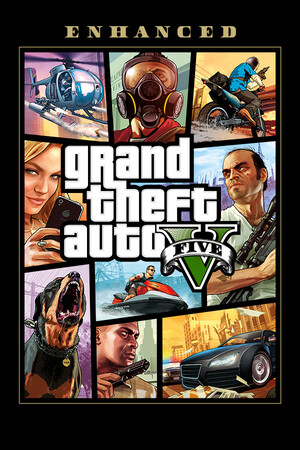
Game covers and info are sourced from publicly available listings (like Steam's store pages) for identification purposes. If something looks wrong or missing, email us and we'll take a look.
Go to Settings → Notifications to control what you get notified about, or turn them off entirely.
Yes. GAMED uses real accounts, so signing in on any device gives you the same profile, reviews, and data.
Go to Settings → Report an Issue in the app, or email us at bugs@mygamed.com with what you were doing and what happened.
GAMED is a home for your gaming backlog, rate and review what you've finished, track what you're playing right now, and see what your friends are into.
Yes, GAMED is free to download and use.
GAMED is coming to both iOS (App Store) and Android (Google Play).
You'll need an account to rate, review, and track games, since that's what keeps your data synced. You can browse without one, but most features need you to be signed in.
If your device supports it, GAMED will offer to enable Face ID or Touch ID sign-in the first time you log in. You can also turn it on or off later in Settings.
Go to Settings → Account to update your password. If you're locked out, use "Forgot password?" on the sign-in screen instead.
Go to Settings → Account to change the email address linked to your account.
Open a game's page and tap the star icon to add it to your Favourites.
Favourites are games you love or want to highlight on your profile. Play Later is your backlog, games you're planning to get to eventually.
Yes. When writing a review, you can add tags to help describe the game or your experience with it.
Yes, you can attach photos when writing a review, along with your rating and any tags.
Open the review and use the comment field at the bottom to reply.
Open their profile, tap the menu (⋯), and choose to remove them as a friend.
Yes, your Play Later list is visible on your profile the same way your Favourites and reviews are.
Head to the Forum tab to ask for recommendations, talk about what you're playing, or join an existing discussion.
Use the share icon on a game or review to send it outside the app, or to a friend.
Our game library is large but not complete. If a game is missing, email us the title and we'll look into adding it.
Game info comes from public listings and can occasionally be outdated or incorrect. Email us which game and what's wrong, and we'll get it fixed.
You need an internet connection to sign in, sync, and load most content, since your data is stored in the cloud rather than only on your device.
Go to Settings to change the app's appearance.
Go to Settings → Notifications to choose what you're notified about (friend requests, comments, and more), or turn them off entirely.
No results for "". Try different words, or email us directly.